BPC Live Planning with SAP Analytics Cloud
Introduction
SAP Analytics Cloud offers, besides analyzing data, the option to build a planning model directly within SAC and thus provide a planning solution for the end user. There is also the option to consume planning models already built in an SAP BW system via BPC and a BPC Live Connection.
This blog shows which steps are necessary to implement planning in SAC via a BPC Live Connection and what options are available. Finally, it also shows which functionalities are already supported.
Planning with a BPC Live Connection in SAC
To build a planning application in SAC, we assume that a planning model with a HANA Composite Provider and an aggregation level with input-ready queries already exists in the SAP BW system.
BPC Model
To be able to access a planning query in SAC, it is necessary to create a model in BPC. To do this, create an environment (if not already available) and create a new model there under „Models“.
SAC Connection
To consume this previously created BPC model, a BPC Live Connection must be created in SAC. To do this, create a new connection under „Connection“, select „SAP BPC“ under „Connect to Live Data“, enter the system parameters and create the connection.
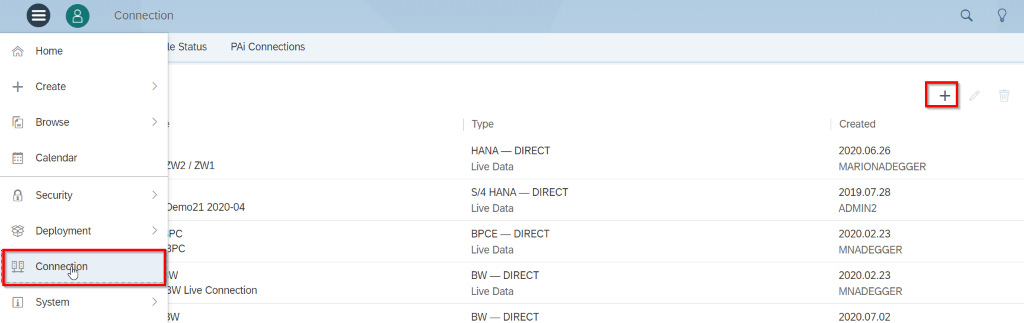
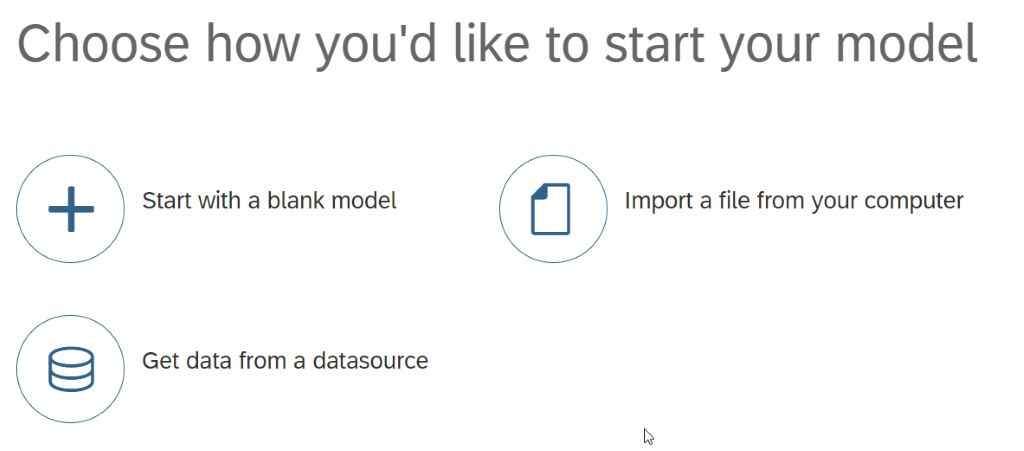
The connection is then available in SAC.

SAC Model
The next step is to create a model in SAC. Note that each model represents one query. This means a model must be created in SAC for each query.
When creating it, choose „Get data from datasource“.
Then choose „Live Data Connection“.
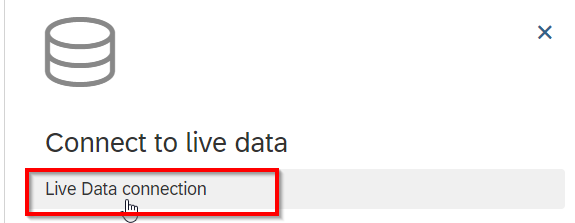
A window now opens where the following parameters must be defined:
- System Type → SAP BPC
- Connection → the previously created BPC Live Connection
- BPC Environment → select the BPC environment
- BPC Model → select the BPC model
- Data Sources → here you can select the desired query, based on the previously chosen model
The model can now be saved.
SAC Planning with the Table Element
The Table element is available both in a Story and in an Application to enter data into a planning query. To do this, insert the Table element. (Note: the scenario shown here demonstrates building SAC planning in a Story; building it in an Application differs slightly.)
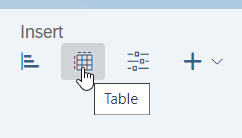
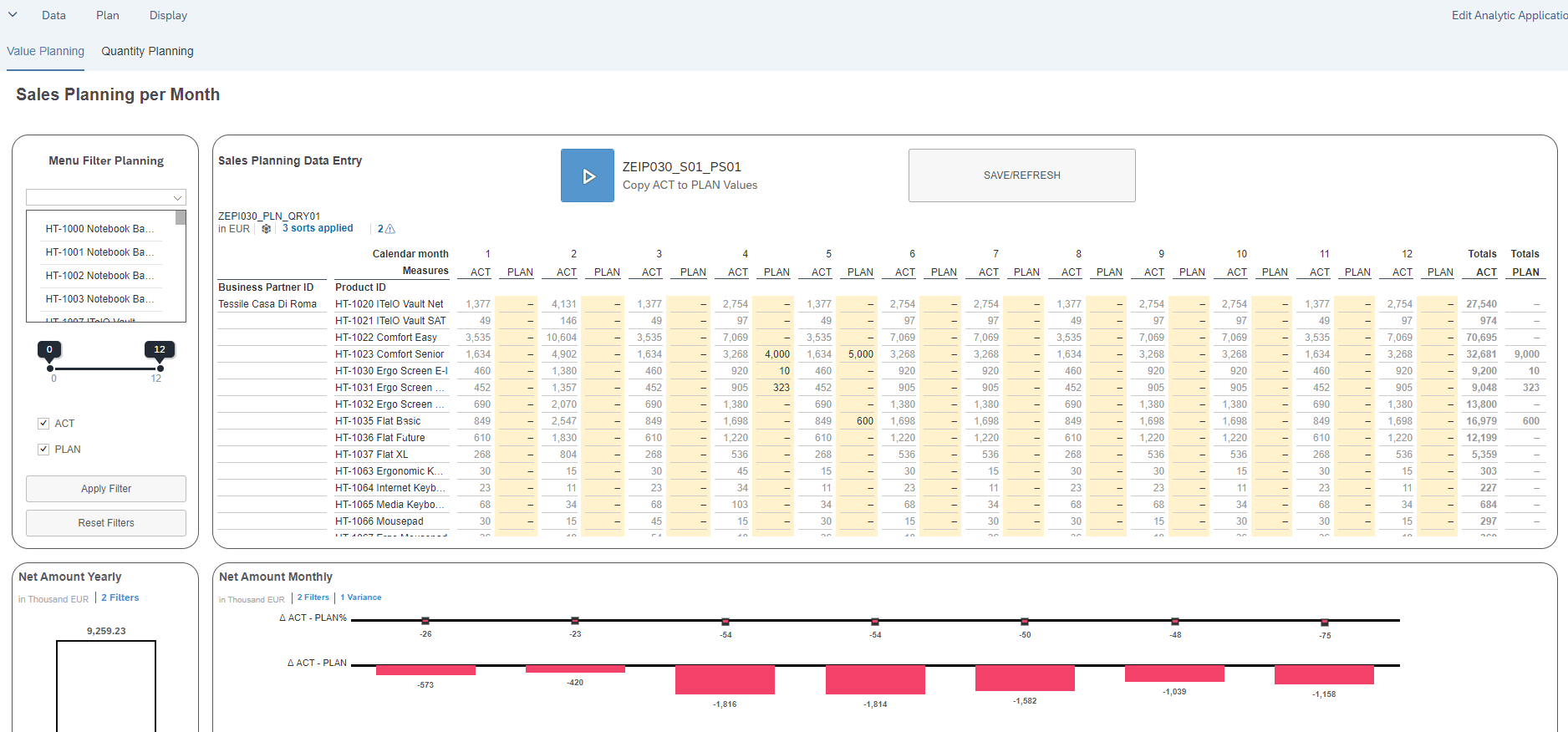
You will now be asked to select a model. Here you choose a planning model based on a BPC Live Connection. The query then opens in the table, and the variables defined as input-ready in the query are requested via prompts. Data can now be entered into the query. Input values are highlighted.
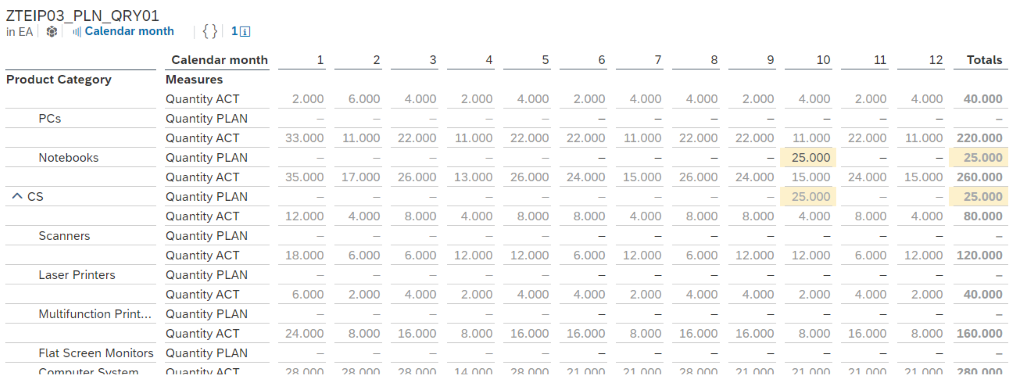
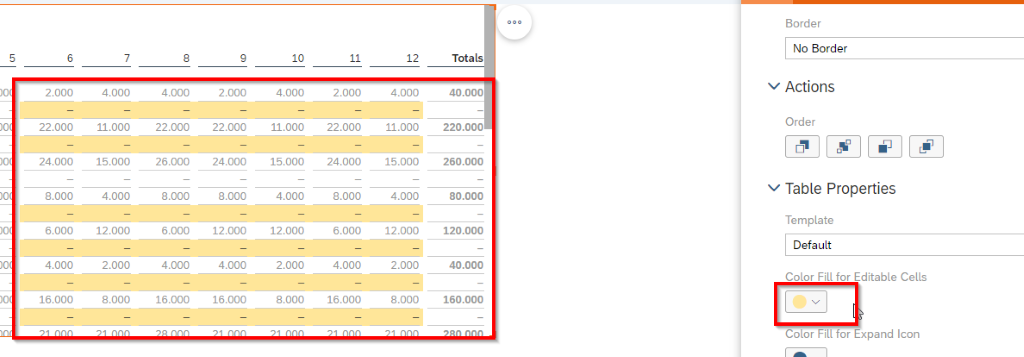
Input-ready cells are not highlighted by default, but can be highlighted with color via the element’s formatting.
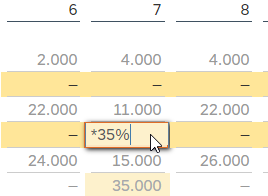
When entering data, values can also be changed using mathematical operators, for example „+30“, „*4%“, etc.
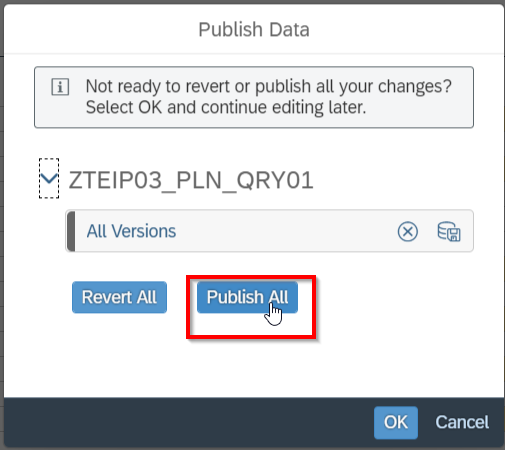
After entering data, it can be saved via „Publish Data“.
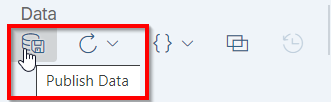
And via „Publish All“ the data is written to SAP BW.
The save is shown as successful:

Planning sequences
Planning sequences can be inserted via the „BPC Planning Sequence“ widget.
Note: a planning function cannot be inserted by itself.
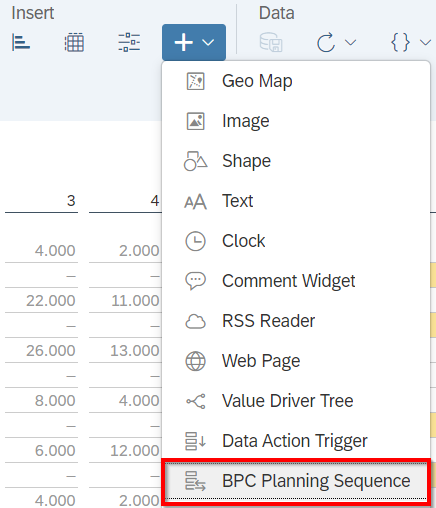
When inserting, you are asked for which planning model (query) the sequence should be inserted, i.e. to which planning model this sequence will later be applied. You also give it a name and, optionally, a description. It can be configured so that the input variables are requested every time the sequence runs, or that the variables are taken from the model (query).
Note: if the sequence has more input variables than the query, or they differ from the query, it is recommended to request the variables before execution.
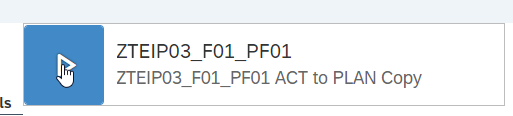
To execute the planning sequence, simply click the blue arrow and the sequence will run. The execution status is then displayed.

BPC and BPF integration
It is possible to define a Business Process Flow in BPC and open an Analytic Application from that Process Flow, also passing variables from the process to it. (It is also possible to open an SAC Story, but passing variables that way is not yet possible.)
SAP provides a how-to document describing how such a solution can be implemented (https://www.sapanalytics.cloud/wp-content/uploads/2019/12/How-to-BPF-SAC-1.pdf).
The main steps in this how-to document are as follows:
- Creating an Analytic Application and providing the variables to be passed
- Creating a Launchpad Application in transaction LPD_CUST
- Maintaining the parameters in program RSBPCB_MAINTAIN_SEM_OBJ
- Creating the class for the BAdI
- Implementing the BAdI
- Creating the Business Process Flow in BPC and the variable handover
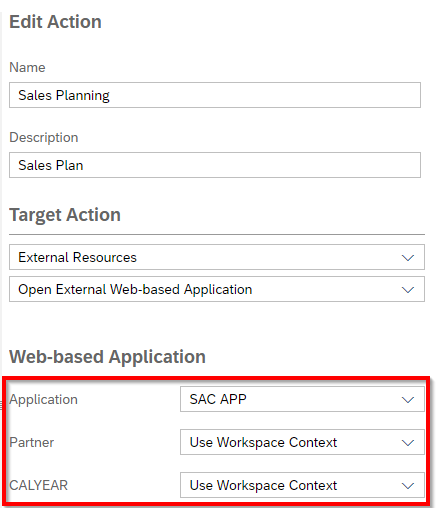
Below you can see how, in step 6, the previously defined application is selected and the variables are passed from the workspace context.
When calling the application from the BPF, you can see that the variable values are passed in the link:

Story vs. Analytic Application
The decision between a Story or an Analytic Application must be made right at the start. The following table shows the fundamental differences:
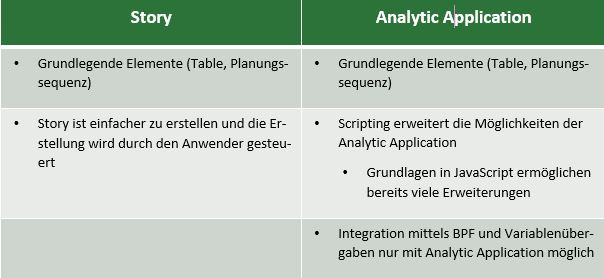
Supported functionalities and limitations
We have currently found support for the following functionalities:
- Data slices
- Characteristic relationships
- Variable handover (including hierarchy variables)
- Display of hierarchies
- Data locks (for passed variables and for hierarchy nodes) possible
- Planning sequences
- Copy & paste within the Table element
Against that, there are currently the following limitations:
- New Line functionality
- Embedding individual planning functions
Summary
Planning applications developed in an SAP BW system can also be consumed very easily in SAC, provided BPC is available. Here, the Table element is the central element for entering data.
Most of the functions known from other SAP frontend tools are already available. In particular, integration via BPC and BPFs makes it possible to use the benefits of a BPC-driven planning process. The tool’s ongoing development also promises to add support for currently unsupported functionality in the near future.
Links
https://www.sapanalytics.cloud/product_updates/planning-recent-innovations/ – product developments
https://www.sapanalytics.cloud/wp-content/uploads/2019/12/How-to-BPF-SAC-1.pdf – how-to paper on BPF and SAC
https://help.sap.com/viewer/00f68c2e08b941f081002fd3691d86a7/release/de-DE/649064923f034c5d9d60732f0497ad6a.html – Supported functions and known limitations for SAP BPC Live Data connections