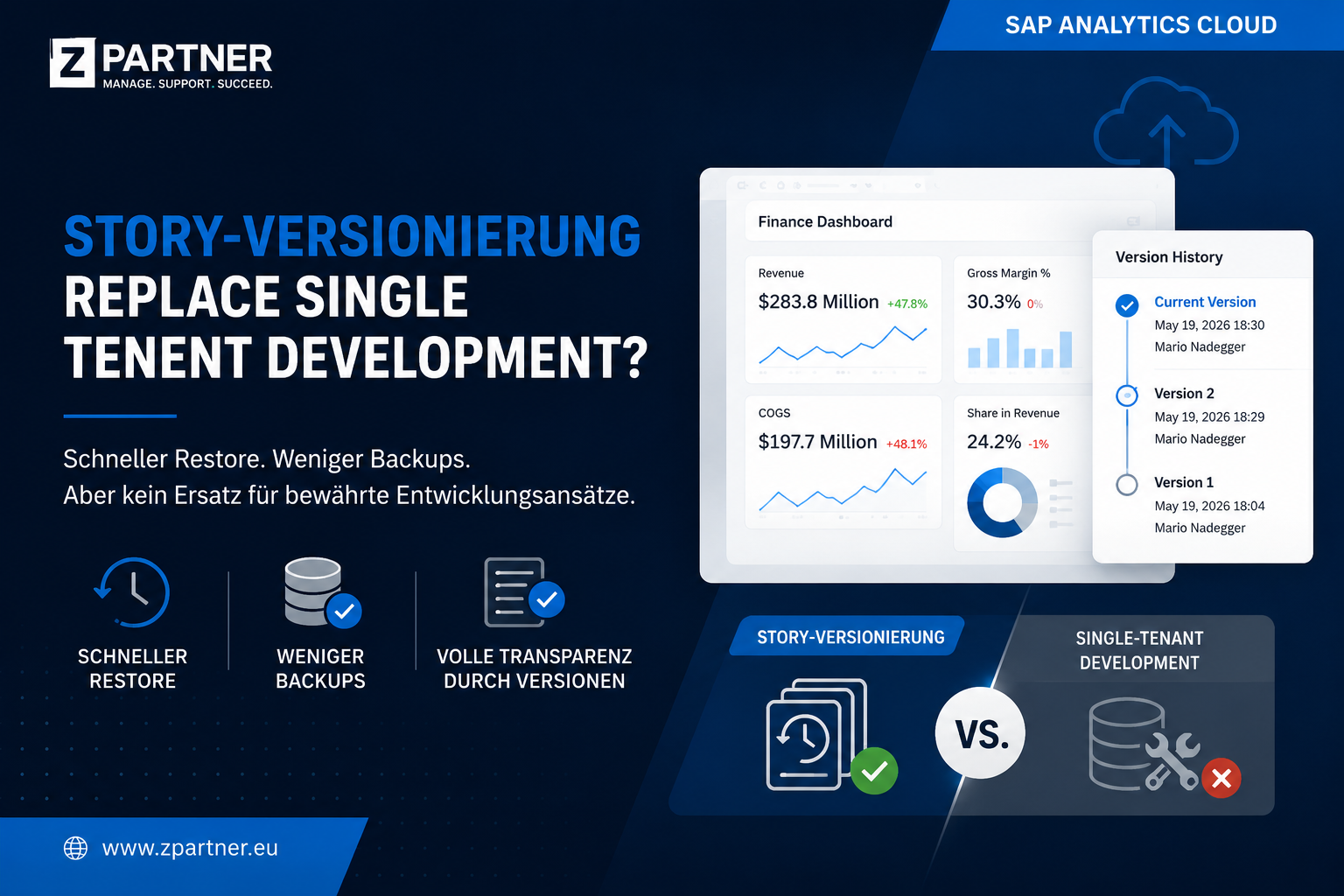
With the new story versioning feature in SAP Analytics Cloud (SAC), SAP provides a way to save different states of a story and restore them when needed.
The feature is especially useful for short-term adjustments, tests, or smaller releases. Instead of creating manual story backups or copies, defined intermediate states can now be saved directly within the story.
Versioning makes work considerably easier, especially in projects with frequent business changes or ad-hoc requirements. Changes can be documented, traced, and quickly rolled back if needed.
Classifying the feature
Story versioning is not a full replacement for a professional development and transport concept. The feature primarily addresses the following needs:
- Quickly restoring an earlier story state
- Reducing manual backup copies
- Better traceability of changes
- Documenting development states directly in SAC
- Supporting quick rollbacks
The well-known challenges of single-tenant development remain, however. The recommendations from the following blog post therefore still apply unchanged:
Step by step: story versioning
1. Save a new version
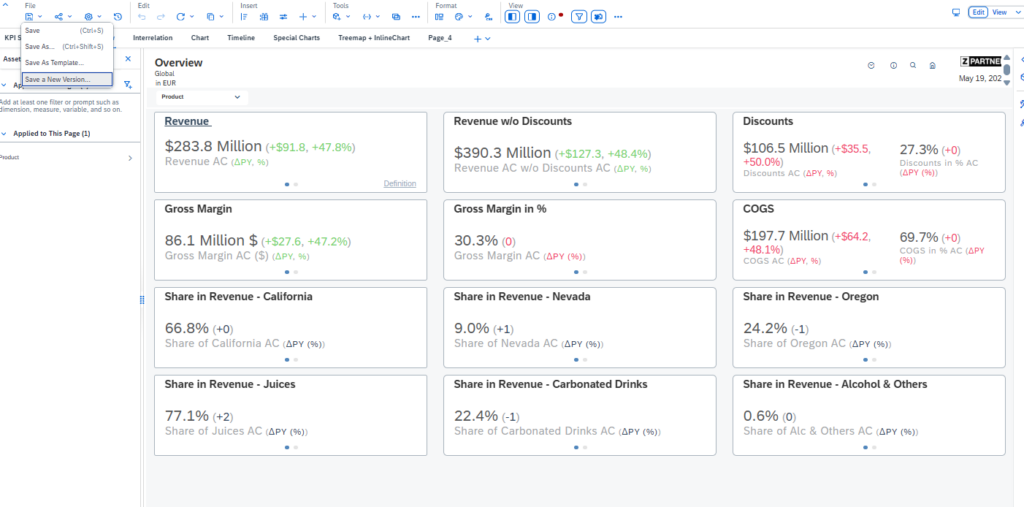
The „File“ menu offers the new „Save a New Version…“ function. It lets you save a defined version state of the current story. The feature is particularly useful before major changes or before publishing new content.
2. Document the changes
After selecting the function, an input dialog opens where you can enter a description of the changes made. A business and technical description is recommended, for example:
– Add new KPI
– Adjustment of the filter logic
– New product dimension added
– Performance optimization carried out
Clean documentation makes it much easier to identify the right version later.
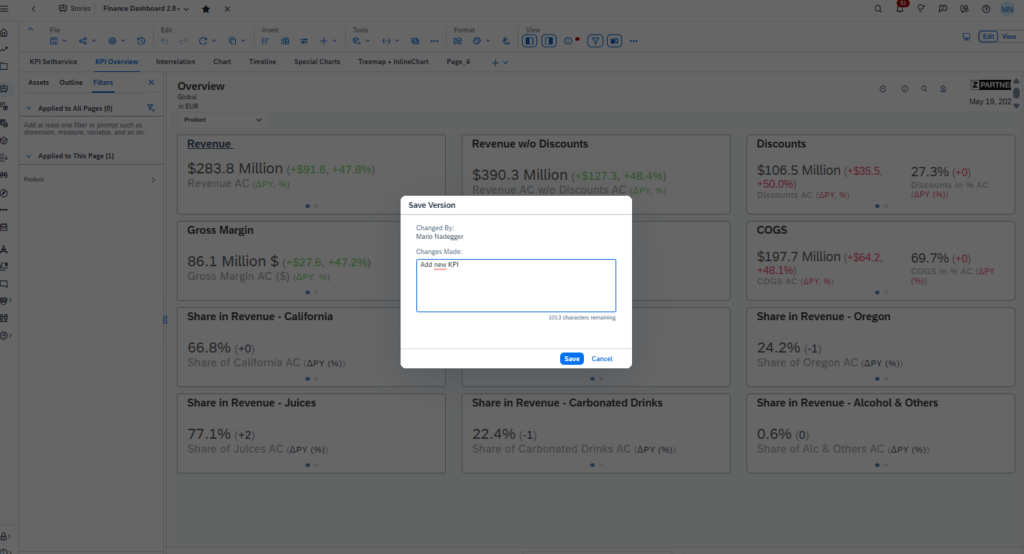
3. Save the version
After saving, a system message appears confirming that the version was created successfully. The current development state is now permanently available in the version history.
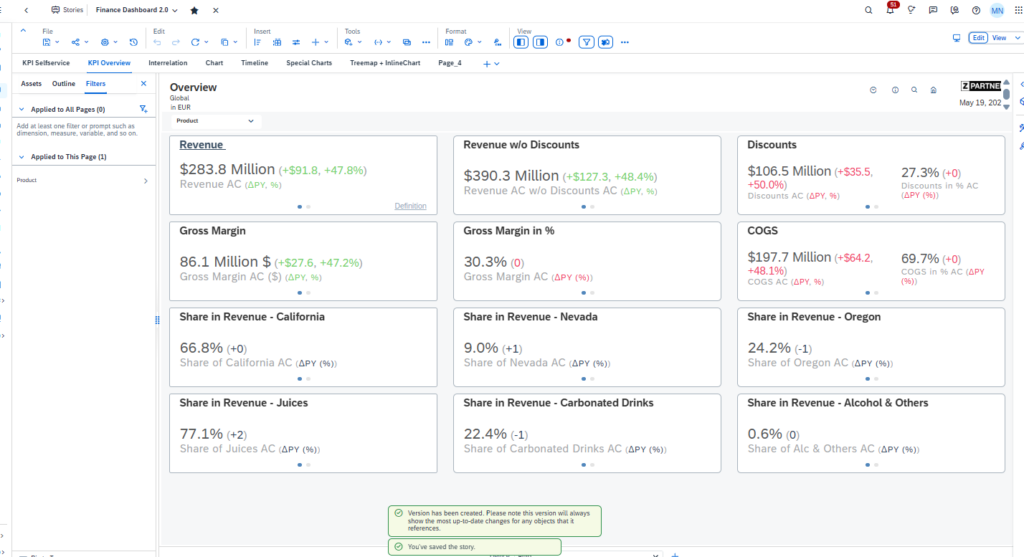
4. Technical note
The message also points out that referenced objects continue to be used in their most current state. In other words, a version does not necessarily store all dependent objects fully in isolation.

5. View the version history
The „File Versions“ area shows all existing versions. It also displays information such as user, timestamp, and change description.
This creates a simple history of the story’s development within SAC.
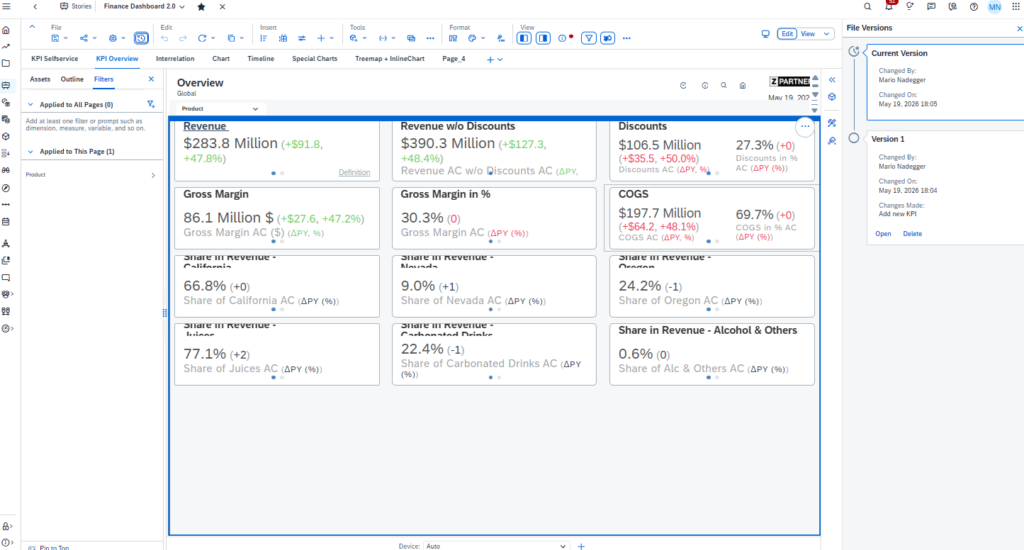
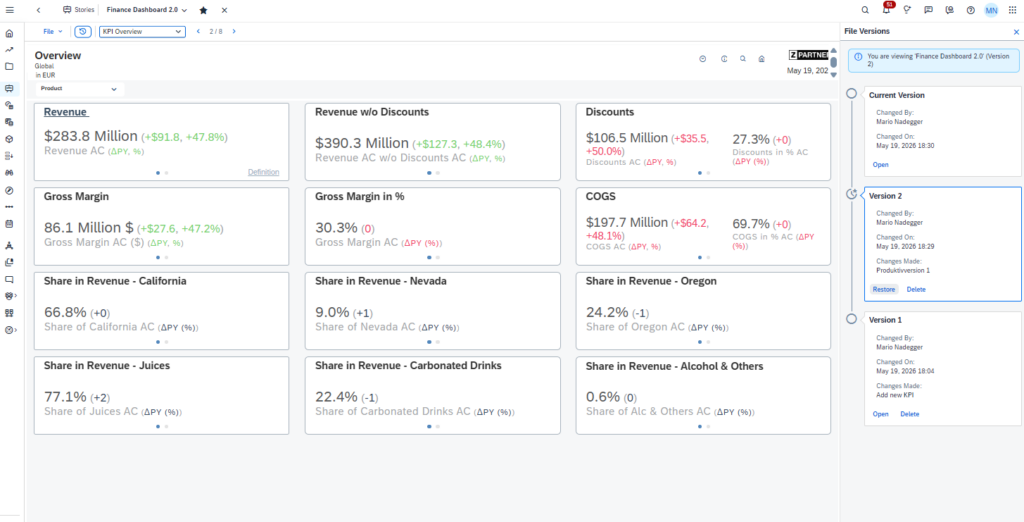
6. Restore an earlier version
The „Restore“ function lets you reactivate an older version as the current state. This allows a quick rollback in case of faulty changes or unexpected side effects.
Benefits of the new feature
- Fewer manual story copies needed
- Faster restore of earlier development states
- Better transparency for changes
- Easier collaboration within the team
- Lower administrative effort
- Improved traceability of releases
Limitations in single-tenant development
Despite the improvement, versioning does not solve every known challenge in the SAC development process.
- No parallel development on different versions
- No option to actively keep working in an old version
- No real branching or merge functionality
- No controlled promotion process between development and production
- Dependencies on referenced objects remain
- Versioning does not replace a structured deployment concept
Conclusion
The new story versioning in SAP Analytics Cloud is a useful addition to the daily development and support process. Especially for smaller changes, short-term adjustments, or quick rollbacks, the feature offers real added value.
Its biggest benefit lies in the simplified restoration of earlier story states and in reducing unnecessary backup copies within the system.
For more complex development processes — especially in a single-tenant scenario — the feature still does not replace a professional development, transport, and deployment concept. The well-known limitations around parallel development, branching, and controlled production releases remain.
The new versioning is therefore a helpful addition to operational development processes, but not a full replacement for established SAC development strategies.