Part 6 of 7 · Series index · ← The Web App · Next: BW → BDC →
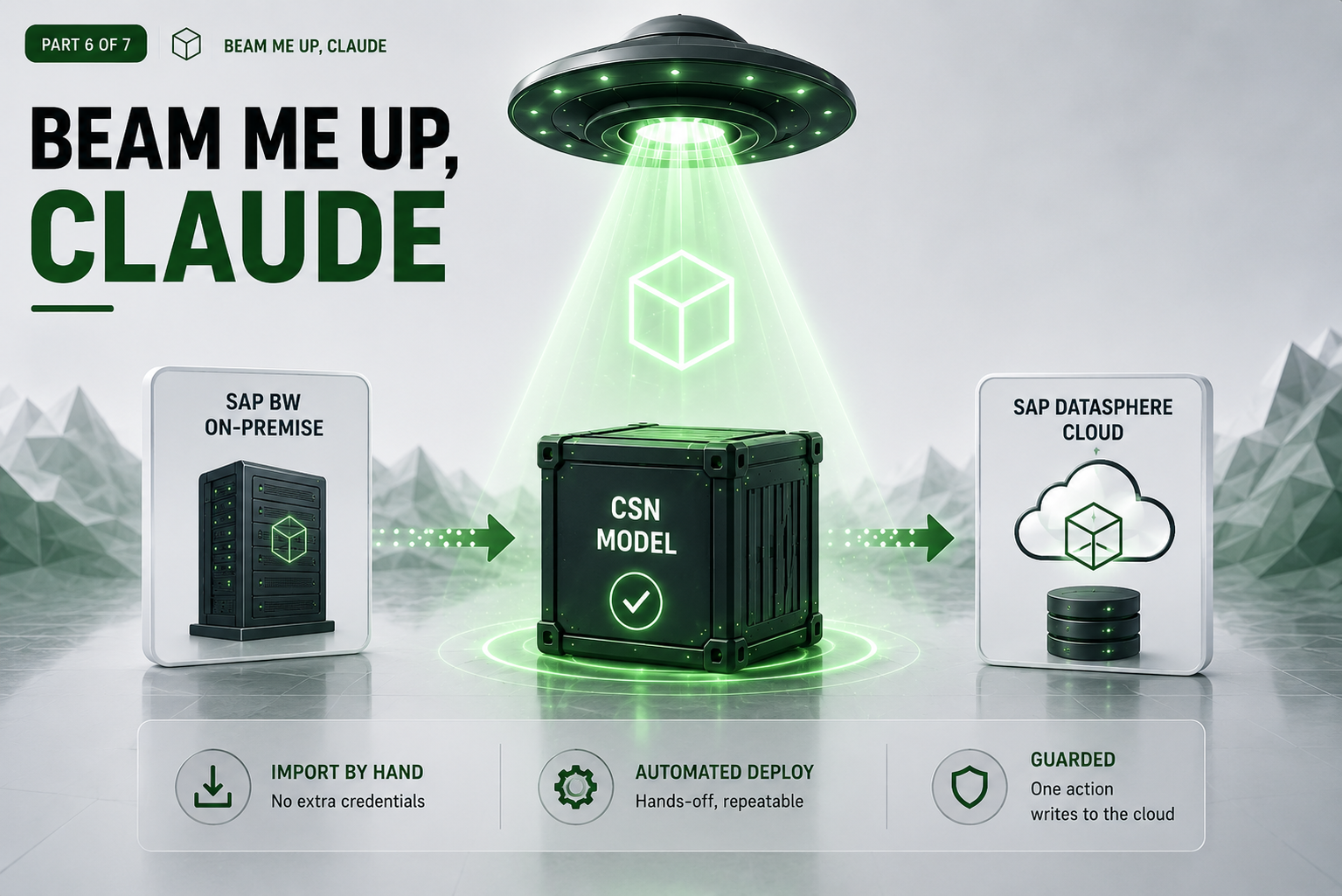
The last mile: get the finished model into SAP Datasphere. For most people that’s a simple manual import through Datasphere’s own interface — done, no extra credentials. We also built an optional automated push for hands-off, repeatable deploys — and that’s where SAP’s command-line tool surprised us twice. Here’s both paths, and the guardrails around the one action that actually writes to the cloud.
By now the tool has produced a clean, validated model (Part 4) and you’ve reviewed it (Part 5). All that’s left is getting it into the cloud. This post walks through the two paths — the manual import most customers will most likely use, and the optional automated one — the two plot twists SAP’s CLI threw at us on that optional path, and the guardrails around the one action in the whole project that actually writes to the cloud.
Two paths: import by hand (the common one), or automate it
By hand — the standard path. Download the model and import it through Datasphere’s own web interface. No extra credentials, nothing extra to run, works no matter what. For most customers this is all they need, and it keeps a person in the loop at the exact moment something gets written to the cloud. If you only ever do this, you can stop reading after the next section.
Automatically — optional. When you want a hands-off, repeatable deploy — many concepts at once, or as part of a pipeline — the tool can push the model for you. It’s the one moment the tool reaches out to the internet, so it gets the most careful handling in the project. The rest of this post is about making that optional path trustworthy.
We don’t reinvent the cloud’s front door
To push a model to Datasphere programmatically we lean on the official command-line tool SAP publishes (@sap/datasphere-cli)¹ rather than talking to the cloud’s internal interface ourselves. It’s the supported path, it tracks the platform release by release, and it means we’re not maintaining a brittle private integration with someone else’s moving target.
And we kept our own side deliberately thin: the deployer is a small wrapper around that CLI, not a full MCP service like the connector in Part 3. Deploying is a single, occasional write action behind one supported tool — wrapping it is low-risk and easy to keep in step with SAP’s releases, where standing up a whole protocol server for one write path would be over-engineering. (If we ever needed the deployer to be reusable over the network, turning it into an MCP service is the obvious next step — just not one this job calls for.)
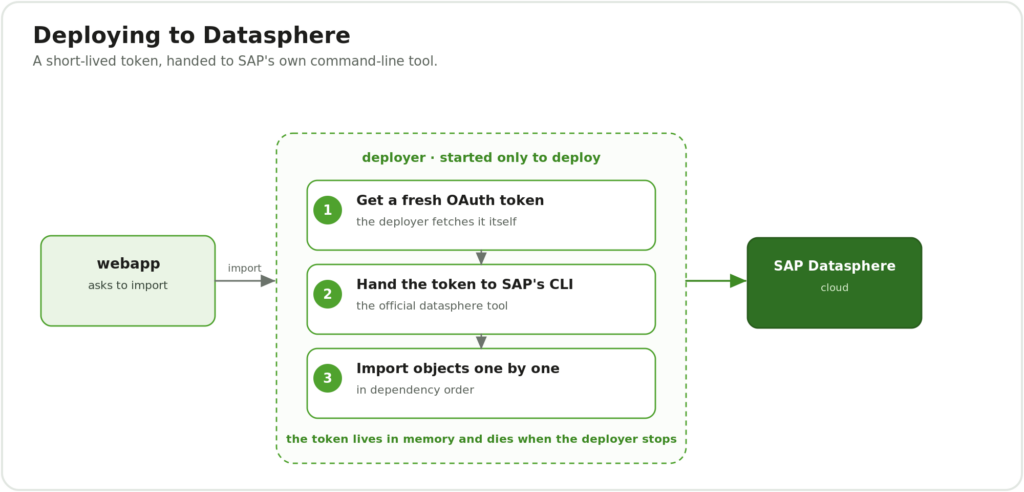
The deploy flow: the web app asks the deployer to import; the deployer gets a fresh token, hands it to SAP’s CLI, and imports the objects one by one in dependency order — and the token dies when the deployer stops.
The web app asks the deployer (a separate box that only runs when you’re deploying) to import a model. The deployer gets a fresh access token, hands it to SAP’s command-line tool, and imports the model’s parts one at a time, in the right order. When the deployer stops, the token is gone.
A token, not a password — and never on disk
To act on your behalf in the cloud, the tool needs an access token: a temporary credential issued through OAuth 2.0², good for about an hour, that lets it work without ever holding a permanent password. There’s a one-time setup behind that, on the Datasphere side: an administrator registers an OAuth client under System → Administration → App Integration, which hands back a client ID, a client secret, and the authorization and token URLs. The deployer uses those to fetch its short-lived token through the standard flow — nothing permanent ever lands in the tool. True to the rest of the project (Part 2), that token lives only in memory and dies with the deployer — never written to a file, an image, or a log. One deploy run fits comfortably inside the token’s short life, so there’s nothing to store and nothing to clean up.
Plot twist one: the headless login that wasn’t
Our rule going in was strict: never write a command from memory. A CLI’s options change between versions, and guessing them is the fastest way to ship something that breaks. So we pinned one exact version, ran it against a real system, and captured precisely how it behaves before writing a single wrapper.
Good thing, too. The tool’s documented “log in without a human” feature³ simply didn’t work the way the docs described on the version we pinned. Worse, it failed with a misleading error — it complained that our perfectly valid secrets file “could not be read,” when the real problem was a required combination of fields it never spelled out. We chased that wrong scent for a while before the captured behaviour set us straight.
The working path turned out to be to stop asking the CLI to fetch the token at all: we fetch it ourselves through the proper channel and hand the tool a ready-to-use credential. Less magic, fully under our control, and — crucially — the secret never travels on a command line where other processes could glimpse it.
Plot twist two: “unknown command” and one object at a time
With login solved, we asked the CLI to import our model. It replied: unknown command ‘objects’.⁴ The command we needed didn’t appear to exist. After some digging: the tool only reveals its import commands after you’ve pointed it at a specific tenant — set the host first, and the missing commands materialise. Obvious in hindsight; invisible until you’ve lived it.
Then the model itself bounced. The CLI, it turns out, imports one object at a time — there’s no “import this whole model” verb, even though the web UI happily does exactly that. Our model has thirteen interlocking parts, and some refer to others, so order matters: a view can’t be imported before the things it points at exist. So the deployer now splits the model into its individual objects and feeds them in dependency order — tables first, then the views built on them — letting each resolve against what’s already in the space. The web UI hides all of this behind one click; the command line made us do it by hand, so we taught the deployer to do it for us.
Guardrails around the one risky action
Because this is the step that actually writes to the cloud, it’s wrapped in deliberate guardrails:
- Least privilege on the cloud side: the deploy identity is a dedicated technical user scoped to a single target space. Even a misdirected deploy physically cannot write anywhere else.
- Import-first by default: the standard behaviour mirrors a manual import — the objects are brought in as design-time definitions and you give the final go-ahead to activate them. It’s faster and keeps a human at the decisive moment.
- Secrets by file, never on the command line: anything sensitive is passed through a protected in-memory file, never typed onto a command line.
- A timeout and an audit trail: every invocation is time-bounded and fully logged, so there’s always a record of what ran.
When a deploy fails
Sometimes an import won’t go through — a missing dependency, or a validation message from the cloud. Because the whole pipeline is deterministic, that’s rarely mysterious: the error points at a specific object, you fix the input (or the configuration) and re-run, and the same input produces the same result — no guesswork, and nothing half-written left behind. The import-first default means a failed activation never leaves a broken model live in the space.
Lessons learned
- Capture a tool’s real behaviour; never code from memory. Both plot twists would have been worse if we’d trusted the docs over the live system.
- Misleading errors are part of the terrain. “Could not read the file” meant “you’re missing a field” — read the behaviour, not just the message.
- Mind the order. One object at a time, dependencies first — the UI’s single click hides real sequencing.
- Keep the risky step boxed in. Short-lived token, single space, import-first, full audit — friction exactly where it belongs.
Wrap-up
That’s the build, end to end: the tool reads your BW modelling, rebuilds it, and deploys it — credentials only ever in memory, the path from source to model plain and repeatable, every piece reaching only what its job needs, and a human kept at the moments that matter. The result is a tool you can trust precisely because of what it refuses to do.
But a working tool still has to earn its place in the landscape SAP is actually building. So there’s one more part: where this fits now that Datasphere ships inside SAP Business Data Cloud — and why it complements SAP’s own migration tooling rather than competing with it.
Read on for Part 7 — From BW to Business Data Cloud →, or jump back to the series index.
Related ZPARTNER reading
- Streamlining REST API Integrations in SAP Datasphere with Task Chains and FastAPI on SAP BTP
- This Is the Way: Rethinking Analytics Orchestration with REST in SAP Datasphere
Part 6 of 7 · Series index · ← The Web App · Next: BW → BDC →