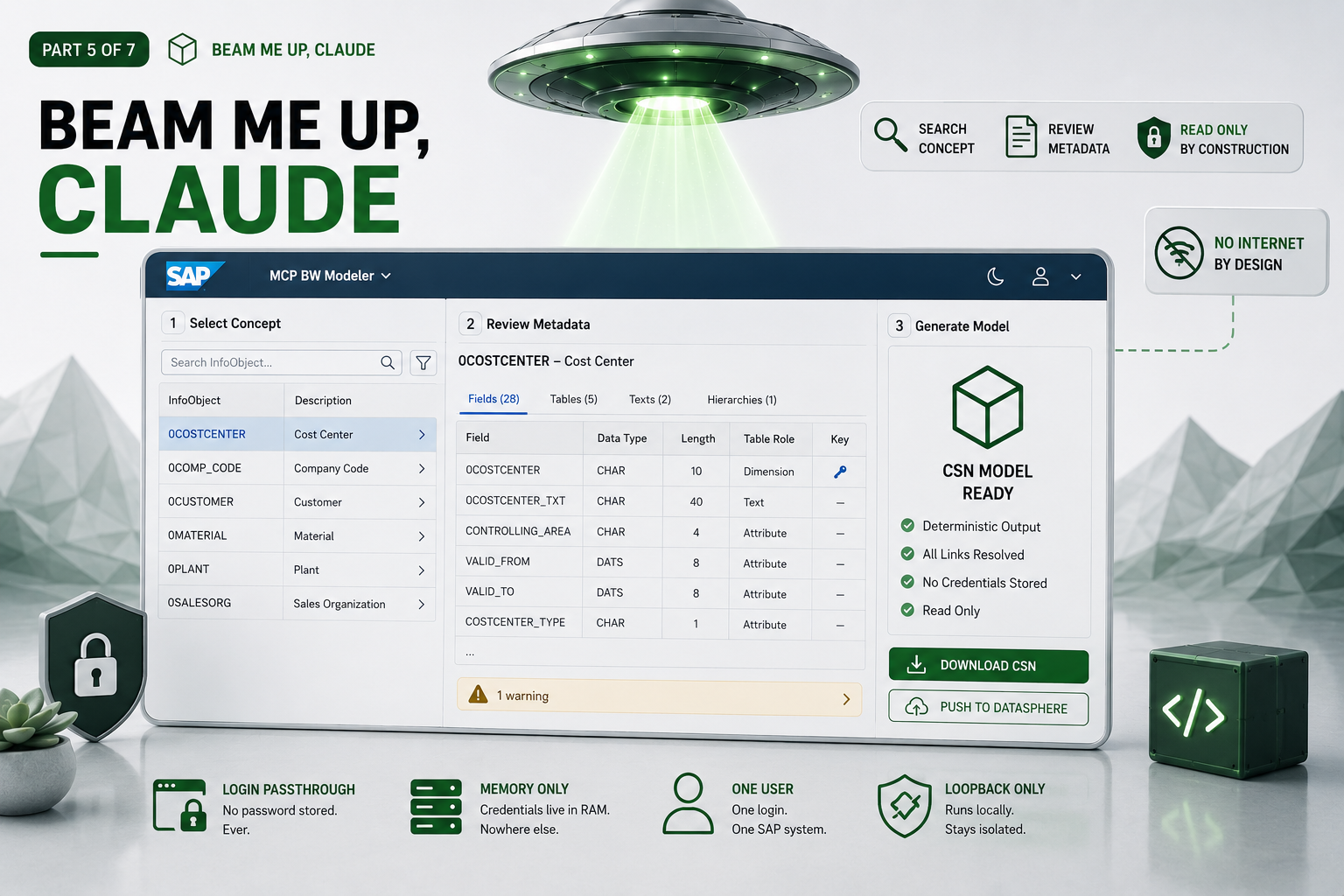
Part 5 of 7 · ← The CSN Generator · Next: Deploying to Datasphere →
The one screen you actually use drives the whole pipeline, looks like a native SAP app due to UI5, and never writes your password to disk. It also can’t reach the internet — and we know that for certain, because the day we turned dark mode on, it stubbornly stayed light. That bug is the best proof we have. Here’s the story.
Everything in the previous parts is machinery; the web app is the beating heart. It’s the conductor of the whole pipeline — select, extract, review, generate, deliver — and, just as importantly, it holds no SAP credentials of its own. This post walks through making it feel like SAP without the SAP weight, the bug that proved its isolation, and where it keeps a human in the loop.
The starting point: it has to feel like SAP
People expect a tool that plugs into SAP to feel like SAP. SAP’s design language is called Fiori1, and there’s a framework that implements it (UI5). The obvious move is to pull in that whole framework — but that’s a lot of machinery for what is, in the end, a handful of screens.
So we used UI5 Web Components2 instead: official SAP building blocks — search boxes, tables, the top bar — that carry the authentic Fiori “Horizon” look, dropped into an otherwise lightweight app. Genuine SAP feel, including a polished dark mode and the right brand accents, without dragging in the entire stack. The components do the heavy lifting; our own code is mostly wiring.
The app that chose to have no internet
Here’s where this app is unusual. As Part 2 described, the web app has no route to the internet — not even to fetch a stylesheet. That forces a decision most web apps never have to make: everything the interface needs must be packaged with it, because there’s nowhere to download anything from at runtime.
The plot twist: dark mode that wouldn’t go dark
We flipped dark mode on. Nothing happened. The toggle was set, the code was right, and the app sat there in stubborn daylight.
The culprit turned out to be a quiet assumption baked into modern web frameworks: they love to fetch fonts, themes, and translations from a content-delivery network on the fly. UI5’s non-default themes — dark mode among them — are pulled from a CDN the first time they’re needed. But our app has no internet, so that fetch was silently blocked, and the theme fell back to its light defaults without a word of complaint. Dark mode was “on,” and the lights stubbornly stayed up — though at least we’d just proven, the hard way, that our firewall really does block what it shouldn’t allow. 😉
The fix was the right one anyway: bundle every last piece — fonts, theme details, translations — into the app itself, so it needs nothing from outside. And here’s the lovely part. Once everything is bundled, “this app can’t reach the internet” stops being a promise we make and becomes a fact you can see. If it secretly depended on an outside download, it wouldn’t work — and we’d know immediately, because the lights would go out. The bug that annoyed us for an afternoon is the best evidence we have that the isolation is real. It also quietly shuts a door most web apps leave open: with nothing fetched at runtime, there’s no live CDN dependency for anyone to poison, so a whole class of supply-chain risk — exactly the kind we catalogue in Part 2 — simply isn’t on the table. (The honest flip side: you vet your dependencies once, at build time, rather than trusting a fresh download every time the app runs.)
What happens to your password
This is the property worth dwelling on, because it’s the one people worry about most.
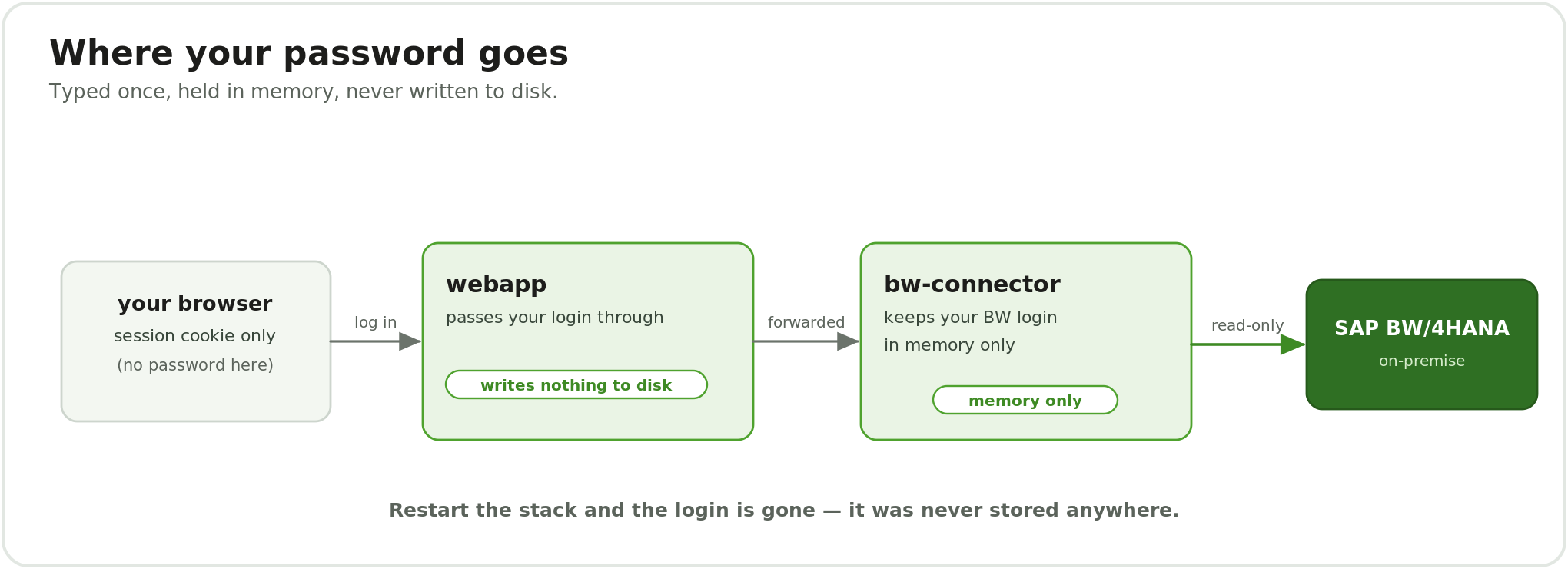
What happens to your SAP login: your browser holds only a session cookie, the web app passes the login straight through and writes nothing to disk, and the MCP BW connector keeps it in memory only.
You type your BW login into the web app once. The app doesn’t store it — it passes it straight through to the connector, which holds it in memory only (see Part 3). Your browser keeps nothing but a temporary session marker. Nothing is written to a file at any point along the way. Stop the tool and the login is simply gone, because it was never saved anywhere to begin with.
There’s no “remember me”, no credentials file, no encrypted vault to manage — because there’s nothing at rest to protect. Restarting means logging in again. For a security-sensitive tool, that’s the right trade, and most people make it gladly once they hear where their password isn’t going.
Review: the human gate
The pipeline is automatic, but it isn’t blind. After the tool extracts a concept’s metadata, it lays the whole thing out for you — every field, every data type, every table role, with any warnings called out plainly — before a single line of the model is generated. This review step is the deliberate human gate in an otherwise hands-off process. If you re-extract a concept later, the app even highlights what changed since last time. The philosophy: automate the tedious, repeatable work completely, then pause for human judgement at the one moment a person’s eyes genuinely add value — right before the output is committed.
Built for one person, on purpose
This is a single-operator tool by design: one consultant, running their own copy on their own machine, logged into one SAP system at a time. That assumption keeps everything simple and safe — a new login cleanly replaces the old one, there’s no multi-user state to tangle, and the loopback-only, no-internet model from Part 2 holds. Turning it into a shared service is possible, but it’s a different project with encryption and real user accounts as prerequisites — and we’ve been honest about that throughout. A couple of quiet safeguards ride along regardless: unguessable session identifiers, a rate-limited login, every action behind the login, and a strict content policy so the page can only run code that shipped with it.3 Nothing exotic — just the basic hygiene you want from anything that briefly handles a credential.
Lessons learned
- Use the platform’s components, not its whole framework. You can have the SAP look without the SAP weight.
- No-internet changes how you build a front end. Bundle everything; assume nothing will load at runtime.
- A silent CDN fetch is a trap. The failure mode isn’t an error — it’s a feature quietly not working. Bundling makes the isolation visible.
- Put friction where it helps. One deliberate human gate beats either blind automation or death by confirmation dialogs.
Wrap-up
The web app turns a pipeline into something a person can actually drive, and it does it without ever holding a credential at rest or reaching the open internet. The final screen offers two ways to deliver the finished model: download it and import it by hand, or push it to the cloud automatically. That push — the last mile, and the one place the tool does reach out — is where Part 6 takes over.
Related ZPARTNER reading